Mail Core Configuration
Listen on ports
The checkboxes specify which TCP ports that TUXGUARD Mail Gateway should listen on. Port 25 must be enabled if you want to receive external e-mail.
Port 587 is used for SMTP Submission and requires that anyone using that port use TLS (STARTTLS) and SMTP Authentication before they are allowed to send messages. It is typically enabled if you want to allow email clients (MUA) like Outlook or Thunderbird, for example to use TUXGUARD Mail Gateway as a relay server
Other ports
This allows for a comma separated list of other TCP ports to listen on. Typically, this would be used if you needed to support clients who cannot connect on port 25 or 587 (e.g. because the ports are blocked by their ISP or corporate firewalls).
Port 465 (SMTPS) has a special meaning and if specified will use SSL encryption, but this requires a SSL/TLS certificate to be specified in the TLS Public/Private Key options below.
Administrative Contacts
This is a comma separated list of email addresses that should receive administrative messages from any of the TUXGUARD Mail Gateway systems. This means that any email directed to postmaster, abuse, security, noc or root sent to the hostname of the TUXGUARD Mail Gateway machine and will include any messages from any of the TUXGUARD Mail Gateway cron jobs will be sent to all of the contacts specified here. If the list is blank, then any of these messages are rejected with the message ‘No administrative contact configured’.
Maximum Message Size
This specifies the maximum allowable message size globally. You may specify lower limits per host, sender or recipient using the Maps.
If a message exceeds this size then the message is rejected with ‘Message too big!’
SMTP Greeting
This allows you to specify a custom SMTP banner message which is sent when a host initially connects to TUXGUARD Mail Gateway.
The default banner looks like this:
220 mx1.tuxguard.com ESMTP TUXGUARD Mail Gateway 2.6.1 ready (A42B3586-E9EA-438A-A25A-B69CC1A34301)
The hostname, ESMTP and the Session ID (shown in brackets) are always sent on the first line as the hostname and ESMTP are required in the SMTP protocol and the Session ID aids debugging.
Spam Tag
This option allows to specify a custom tag that will be appended to the subject line when tagging possible spam.
The default value is: [SPAM]
Inactivity Timeout
The maximum idle time of a connection (e.g. where no data is sent) before the connection is forcefully closed with a ‘421 timeout’ message. The default is 300 seconds (5 minutes), it should not be set to less than 60 seconds
HAProxy Hosts
A comma separated list of IP addresses or CIDR masks of hosts that should be allowed to use the HAProxy PROXY protocol extensions. See the HAProxy section for more details.
TLS Private Key
The TLS private key in PEM format to be used for both incoming and outgoing SMTP connections. Important: As this is global for all SMTP listeners in a cluster, it should be a wildcard certificate.
A self-signed wildcard certificate can be used provided you do not have any email clients (MUAs) using port 587 as they will display a certificate warning
TLS Certificate
This Text Box should contain TLS Certificates in PEM format that goes with the Private key specified above. Any intermediate certificates should be placed in reverse order below the public key.

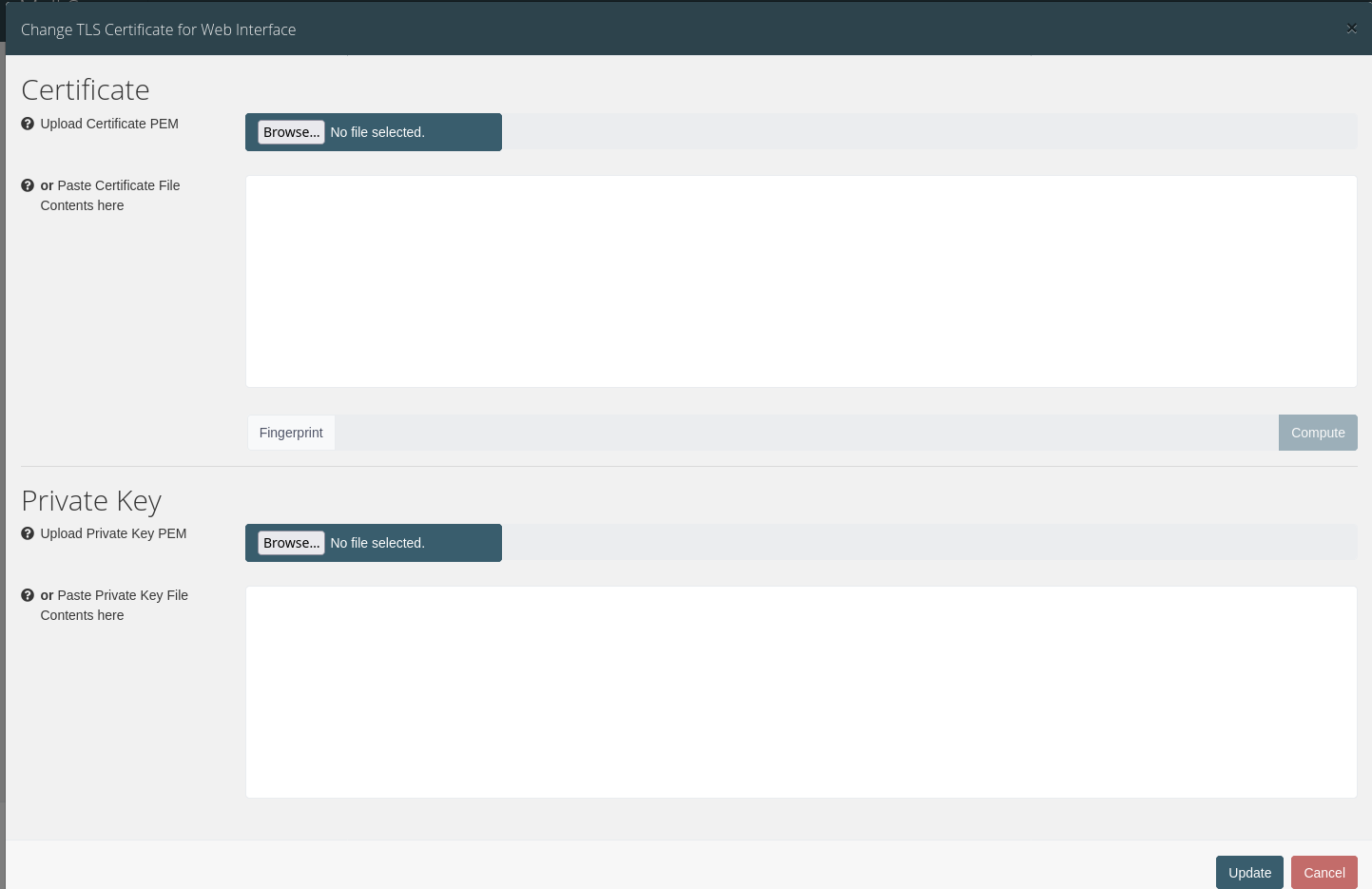
The certificate and key to be used by the webinterface and the worker hosts respectively can be uploaded using a modal that can be opened using the "Change Certificate" button:
Important
After changing the webinterface certificate a restart of the tuxmail-web service is necessary! Run systemctl restart tuxmail-web on the host to do so.
Log Retention Time
Configure the time in days Maillogs are being stored in Elasticsearch, default is 60 days.
Note
The default value of 60 days is the recommended value in order to ensure reasonable memory consumption of the backend.